Pick up the thread
Organize and search conversations by project. Keep drafts and pinned chats.
A workspace for human + AI collaboration
You set the direction. AI plans the work. Trusted devices bring it together.
Turn the project material into a report.
Back in the conversation, ready for your review.
You start it. You keep it moving.
One goal. Multiple steps. You and AI keep the work moving in one conversation.
For example: turn the project material into a report.
Read the material, then identify steps that can run in parallel.
Your computer and paired nodes work according to the task dependencies.
Follow the work, then continue the discussion and refine the result.
See the process. Find the outcome. One workspace for the whole piece of work.
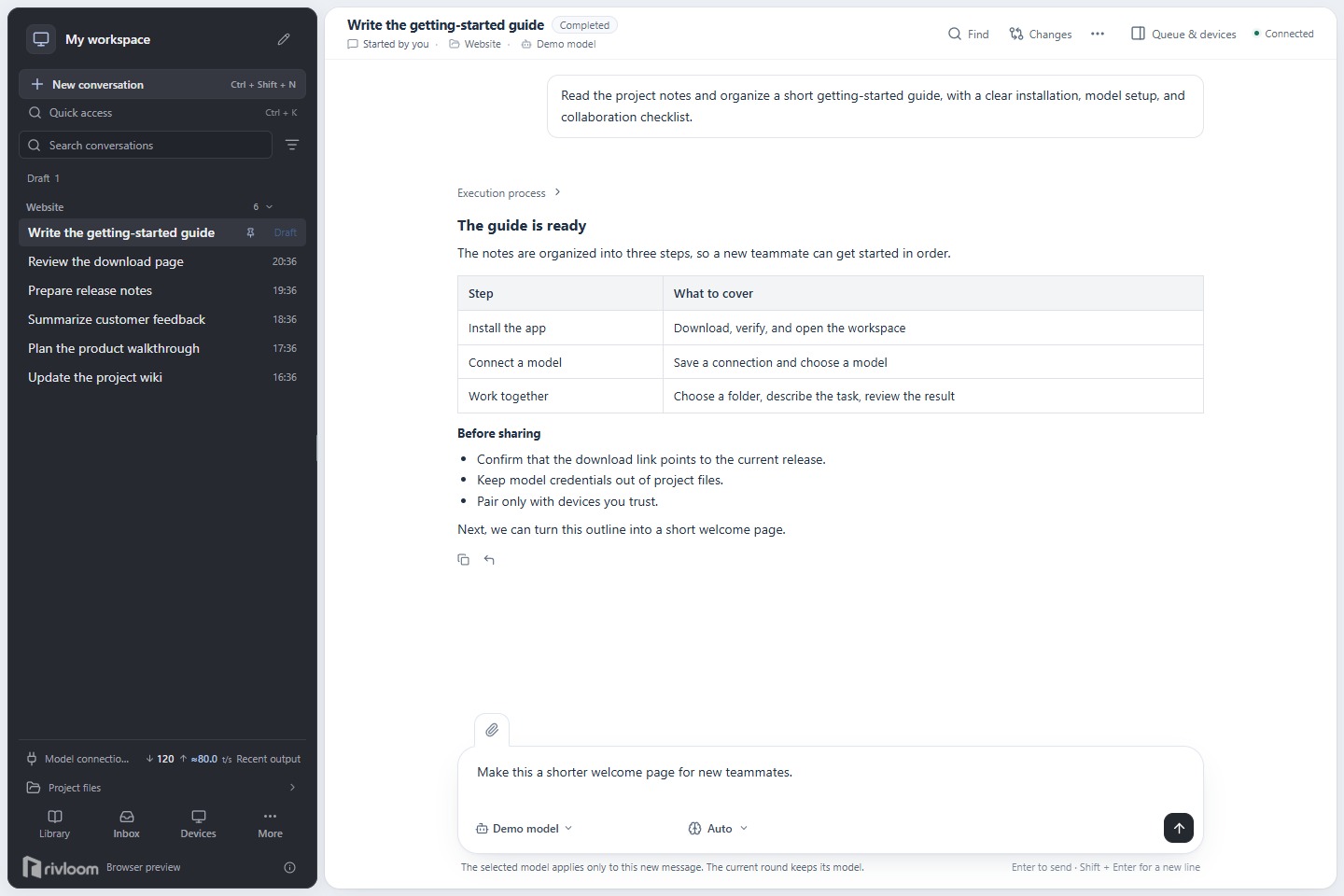
Organize and search conversations by project. Keep drafts and pinned chats.
Clear states for planning, execution, waiting and stopping.
Results come first. Explore execution details when you need them.
Register your own Skills and share them with members of the same Brain, so useful ways of working can be reused.
Explore SkillsSave conventions and experience in Wiki. Search summaries first, then read what matters, without loading the whole library into every task.
Explore WikiBring your own model. Choose a familiar folder. Tell Rivloom what you want to do.
Desktop app · x64
Command-line worker · x64
Rivloom desktop is open source under Apache-2.0. Read the code, share an issue and help shape a better way to work together.
Source code